
How to Redeem your license via DigitaLychee?
DigitaLychee (https://www.lizhi.io/en) is a highly respected Chinese software retailer known for offering a vast and trusted catalog of genuine software. For customers, DigitaLychee represents a secure gateway to discover and purchase high-quality applications from around the world, all tailored for a local experience.
Below is a simple tutorial on redeeming your license on the DigitaLychee platform.
Step 1 of 4
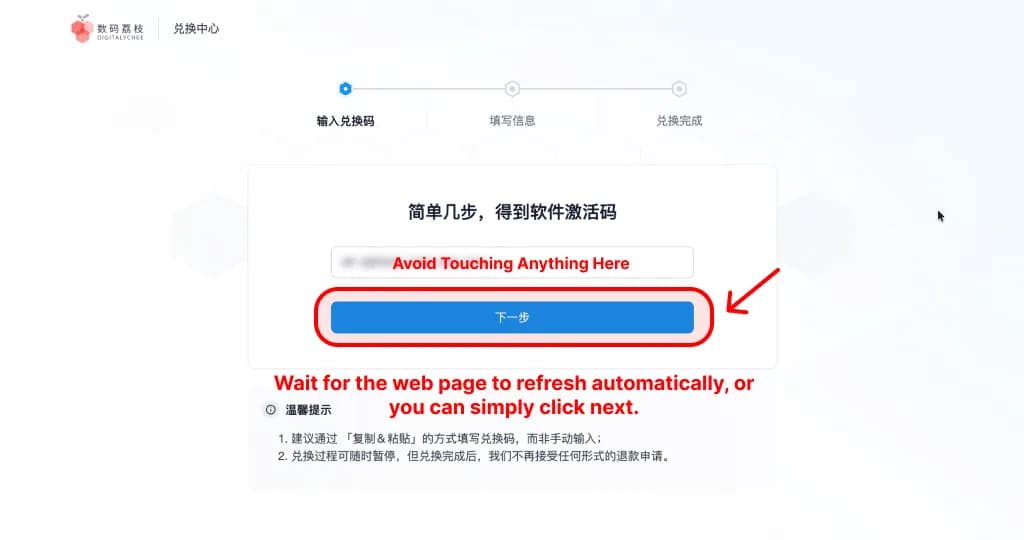
Open the redeem link
After you click the redeem link from our email, you will be directed to the webpage shown in the image above.Do not make any changes and wait for the page to refresh. If it does not refresh automatically, simply click the blue button to move to the next step.
Step 2 of 4
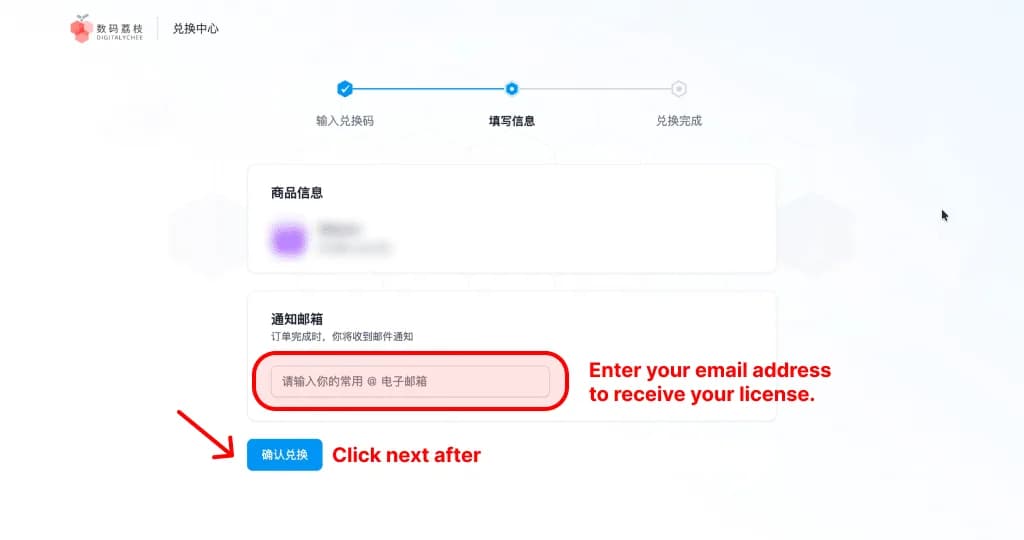
Enter your email, then click Redeem
On the following web page, you will see an input box. Type your email address in there. That email address will be used to receive your license from the DigitaLychee platform. Confirm that the email address is correct, then click the blue “Redeem” button.
Step 3 of 4
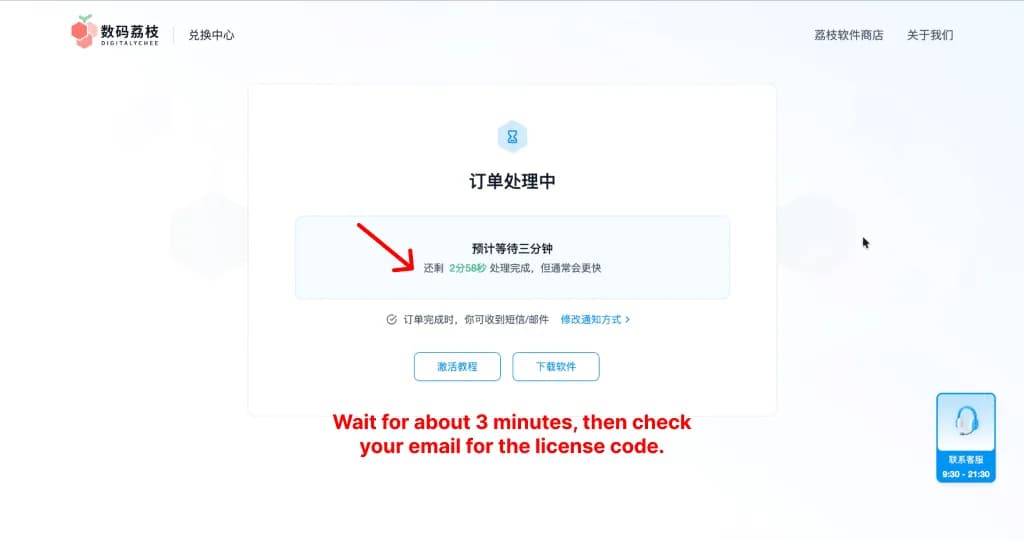
Check your inbox
If you see this page, it means your order is being processed. You will usually receive your license code within 3 minutes. Please check your email inbox for the license code.
Step 4 of 4
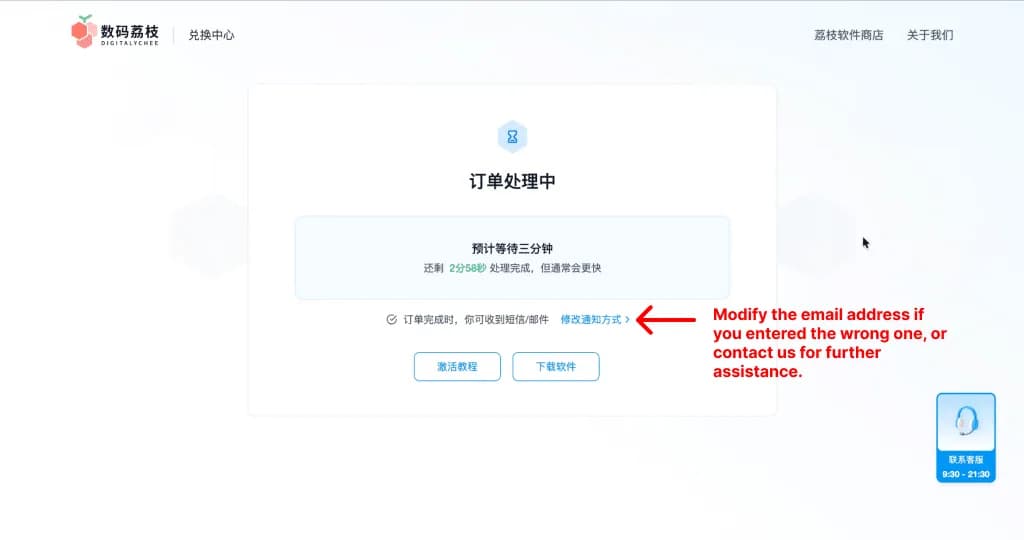
In case you entered the wrong email
If you accidentally entered the wrong email address, click this button to change how you receive emails. You can use Google Translate to help with the process, or you can email us directly for further assistance.
Need help?
Key not working? Reply to your order email or contact us and we will sort it out.