
Is Process Lasso safe? Yes, it is safe to install. It is a Windows program made by Bitsum, and Bitsum says it sends none of your computer or process data to the company and connects to its servers only to check for updates and validate licenses. The bigger risks are downloading it from an unofficial site and setting a bad rule for a particular game, which some users say caused stutter or crashes. Whether it is worth paying for depends on whether your PC has a specific problem it can fix, and many PCs do not.
First, where we stand: Appicker sells Process Lasso Pro, so we gain if you buy. We have not used it ourselves and have not run any tests. What the software does comes from Bitsum's documentation and FAQ. What using it is like comes from things other people have posted publicly on Reddit and forums. We retell those in our own words and say who said what, with a link. They are personal experiences, not lab data, and results differ between PCs. Buying elsewhere is fine, and the free version on Bitsum's site is a reasonable place to start.
The short answer
- Safe: in the public material we found, nobody says it is malware. There are discussions of antivirus false alarms. Bitsum states that it uploads no data and that its installers are signed.
- Watch out for: it changes how other programs are prioritized, and some users report crashes or stutter in particular games. Rules can be undone in the settings.
- Worth buying: on an ordinary office and browsing PC you will probably notice no difference. It may help with heavy multitasking, hybrid-core Intel CPUs or dual-CCD AMD CPUs.
Who makes it, and where to download it
Process Lasso is developed by Bitsum (Bitsum LLC, developer Jeremy Collake) and is freemium: a free version and a paid Pro version. On its official download page, Bitsum says that is the official site, that every installer is signed by Bitsum Technologies, that there is no bundleware, and that the free version can be used indefinitely, with some advanced features working only during a trial.
So the first safety rule is simple: download only from bitsum.com. Search results are full of download mirrors and cracked copies. Those are the real risk. The download page also lists a SHA-256 checksum for each installer. You can compute the checksum of the file you downloaded with Windows PowerShell's Get-FileHash command and compare it. If the two match, the file was not swapped.
Does it send data out?
Bitsum's FAQ answers this directly: no. Process Lasso does not send any user or process data to Bitsum. It connects to Bitsum's servers only to check for updates and to validate licenses. The same page says uninstalling leaves no system changes behind.
That is the vendor's own statement and we have not verified it with a packet capture. If you want to check, watch which addresses it contacts in your firewall.
What does it actually do on your PC?
Think of it as reassigning seats. Every program on Windows has a priority that decides who gets the CPU first. Its main feature, ProBalance, temporarily lowers the priority of a background program that is hogging the CPU and slowing the program you are using, then restores it afterwards. Bitsum's documentation says ProBalance is on by default, and its setup guide says the foreground program you are using is left alone by default.
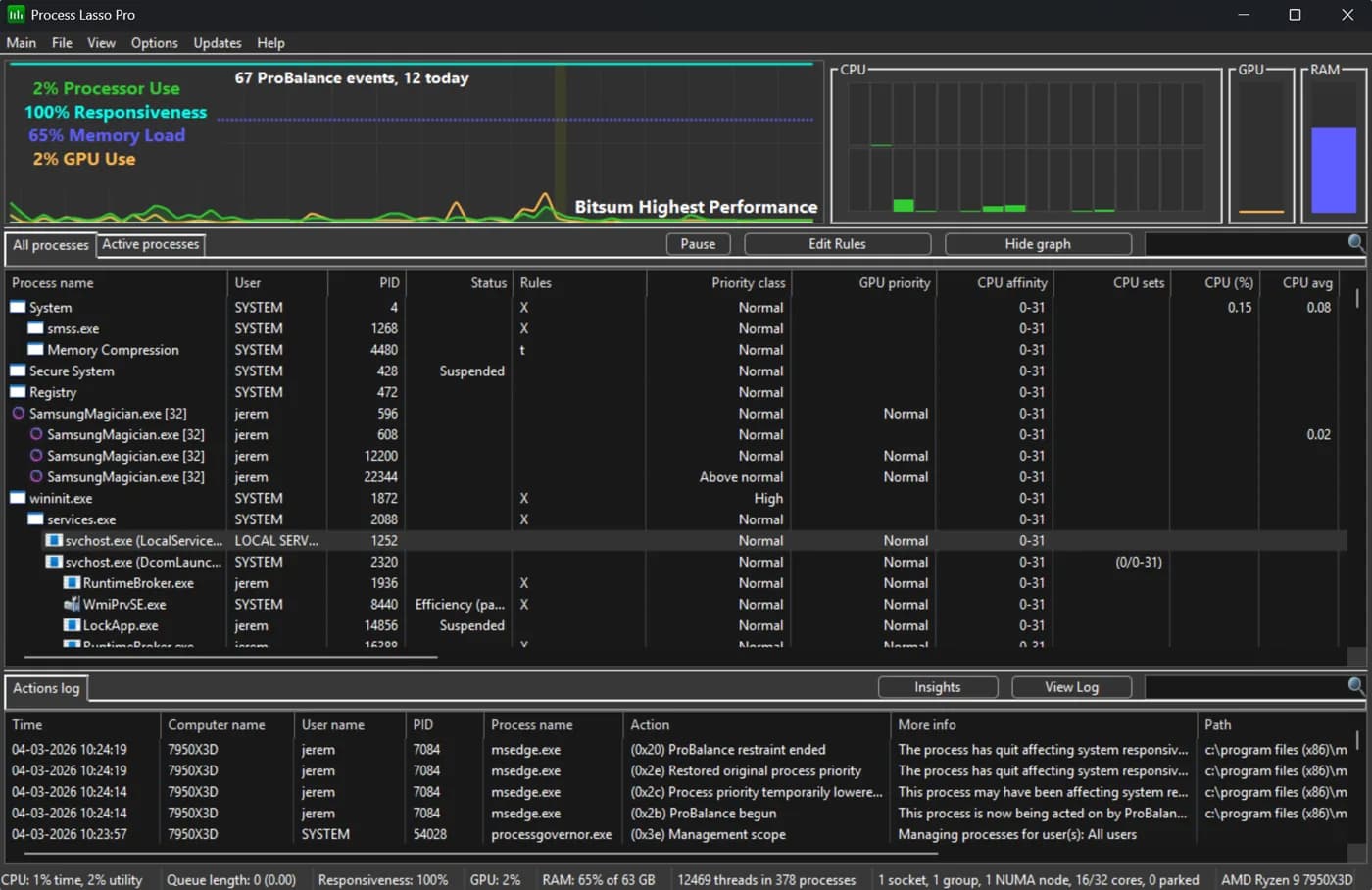
The main window: live graph, process list and, at the bottom, a log of what the program did. Screenshot from Bitsum's official screenshots page.
Two points matter for safety:
- It logs what it does. The log and the ProBalance Insights window list which programs were restrained and when.
- Rules can be undone. The setup guide says every rule can be removed from the same menu that created it, the settings have a reset option, and the FAQ says uninstalling leaves no system changes behind.
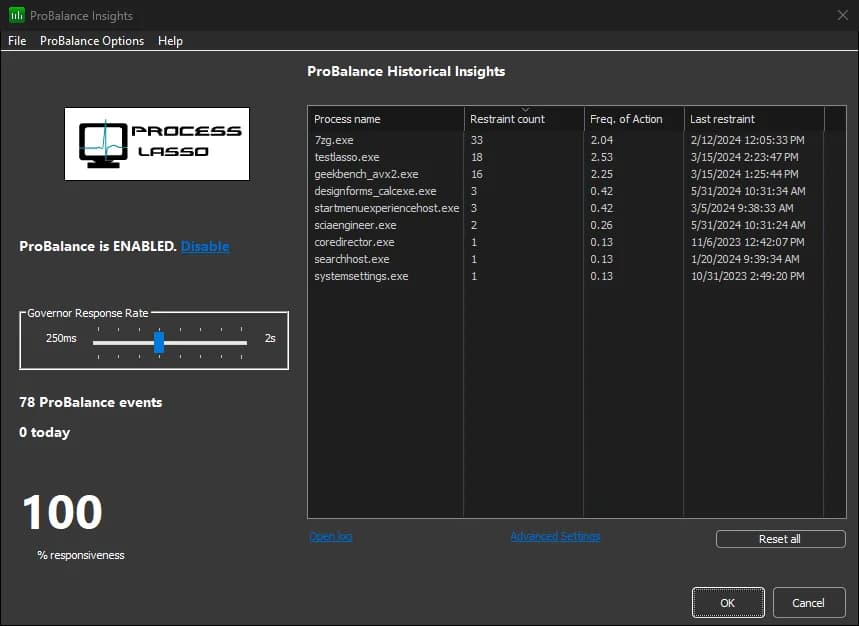
The ProBalance Insights window lists restrained programs, how often and when. Screenshot from Bitsum's official screenshots page.
Also, Process Lasso's core engine is a background service called the Process Governor, which enforces the rules even when the window is closed, according to the documentation. That is by design, but it means something is always running in the background.
What if antivirus software flags it?
It can happen. Process Lasso works by changing how other programs run, and security software can treat that kind of behavior as suspicious. Bitsum's own troubleshooting page says security software can block it and advises allowing ProcessLasso.exe and ProcessGovernor.exe in your antivirus or behavior-blocking software.
What to do:
- Confirm the file came from
bitsum.comand check its SHA-256. - If an alert appears, do not just click through. If the source or checksum does not match, do not install it.
- Do not turn off your antivirus entirely to run it. Allow only those two files.
Can it get you banned in games?
Bitsum's FAQ says no. It says there has never been a single case, because Process Lasso only makes outside adjustments to processes and never touches process memory. That is the vendor's statement.
The more practical issue is that anti-cheat systems can block it. Bitsum's anti-cheat documentation says many games block other software from opening their processes to change CPU affinity or priority. Its suggested workarounds are to set the rule on the game launcher so the game inherits it, or to use the registry-based option for priorities. One Fortnite player posted on r/FortniteCompetitive about an access denied message when changing settings and suspected Easy Anti-Cheat.
What do real users say?
Everything below is other people's public posts, retold by us.
Users who reported problems:
- Fletcher Dunn, a Valve developer, wrote on X that he had received another performance trace from a CS2 player using Process Lasso and adjusted priorities, and that these "optimizations" appeared to be causing stalls.
- In a r/GlobalOffensive thread, one commenter said they had many crashes with Process Lasso, including a blue screen two or three times a night, and almost none after reinstalling Windows without it. Another commenter said they used it for three or four years without trouble and forgot it was running.
- A player on r/VintageStory said ProBalance, which is on by default, caused stutter in that game. Their fix was to add the game's exe to ProBalance's exclusion list, and they kept using Process Lasso otherwise.
- In an r/hardware discussion, a user said binding Microsoft Flight Simulator to one CCD with CPU Sets gave more FPS and better responsiveness, but the game froze twice, and it was stable again once they stopped Process Lasso. Bitsum's FAQ also says Flight Simulator can be sensitive to CPU affinity changes and advises removing its affinity rule if it crashes.
Users who found it useful:
- A player on r/EscapefromTarkov said they had used it for years, that it helped a lot on Intel CPUs, and that the free version caused no performance hit.
- A player on r/Enshrouded said it gave steadier frame rates without stutter spikes.
Users who found it not much use:
- In a 2020 Steam forum thread, one reply said it is legitimate software but, for the average consumer, falls into the "snake oil" category and will not revive old hardware. Another reply said you can set cores and priority yourself in Task Manager.
- On r/cs2 one person called it pure placebo and another replied that there are real benefits depending on hardware and software. In another r/cs2 thread, a 5800X3D owner said they saw no difference.
- In a September 2026 r/iRacing thread, a reply said recent Windows 11 builds direct load to AMD X3D CPUs well enough that Process Lasso is no longer necessary.
- On r/buildapc, someone asked if it is worth it and a reply said no, because the CPU in question is not a dual-CCD chip.
Bitsum's FAQ makes a similar point. It says ProBalance acts only when it is needed: if your PC is barely loaded you will not see much difference, and when the CPU is heavily loaded the improvement can be large.
One more thing: license terms
In that same 2020 Steam thread, one user said their license "mysteriously stopped" after they bought it, and that they had thought it was a lifetime license but it had become subscription only, so they did not trust it. That is one person's account and we cannot verify what happened. Bitsum's site today describes a lifetime license as a one-time payment with all updates included. Before you buy, read Bitsum's Free vs Pro page and Get Process Lasso Pro page so you know which license you are getting.
How to use it more safely
These follow Bitsum's setup guide and FAQ:
- Start with the defaults. Bitsum says the defaults are usually best, ProBalance works right after install, and most people never change anything else.
- Keep rules few and precise. Bitsum recommends adjusting only the programs you are concerned about, not ranking every process.
- Do not raise important programs to High or Realtime. Bitsum says this is usually ineffective and can cause stutter. ProBalance works the other way, lowering the interfering programs.
- If one game misbehaves, exclude it or delete its rules first. Check the log to confirm ProBalance really acted on it, then right-click it and choose Exclude from ProBalance.
- To undo everything, use Reset Configuration, or uninstall.
Is it worth buying, and who can skip it?
It may fit you if:
- You run many heavy programs at once (virtual machines, browsers, builds, video exports) and one of them sometimes freezes the whole PC.
- You have a hybrid-core Intel CPU or a dual-CCD AMD X3D CPU and want games kept on specific cores. Bitsum's documentation covers both.
- You want rules to apply automatically at startup. Bitsum says the background service enforces them, so you do not have to redo them in Task Manager each time.
You can skip it if:
- Your PC is for office work, browsing and video.
- You have a single-CCD CPU and no specific stutter problem. Users on r/buildapc and the Microsoft Flight Simulator forum each said it does not help on single-CCD chips.
- You only want to try it. The free version can be used indefinitely, and Pro unlocks advanced features such as the CPU Limiter and Watchdog, which work in the free version only during a trial. Check whether you need them first.
Buying from Appicker
Appicker sells Process Lasso Pro licenses. You can try the free version from Bitsum first and come back if you need Pro. Plans, device counts and delivery are on the Process Lasso Pro product page. Licenses are delivered as a redeem link within 24 hours of your order. See our redemption guide for the steps. Orders follow our refund policy.