
Yes, if you keep a lot on your desktop. Stardock Fences gathers a messy pile of icons into tidy, colored areas, so you stop scanning the whole screen to find one file. It can also sort new files for you, and one keystroke brings every area to the front of your windows. A tidy desktop just feels better to work on.
What does Fences do?
Picture your desktop: game launchers, downloads, screenshots and a few project folders, all spread across the wallpaper. Finding anything means scanning the whole thing. Fences lets you draw semi-transparent areas on the desktop, called fences, give each one a name, and drag related icons into it. Games in one, study material in another, work files in a third. Think of it as a Windows desktop organizer for icons.
According to Wikipedia, Fences is a Windows utility from Stardock that organizes desktop icons, distributed as part of Stardock's Object Desktop suite. Version 1 was freeware, and it later became a commercial product.
What features does it have?
Based on the Stardock website and what we know of Fences 6:
- Automation rules: have files sorted into the right fence by file type, name, time and target location. Stardock's example is a fence that automatically collects all your screenshots. You can also add files and folders by hand.
- Tabs: stack several fences on top of each other as tabs, so one fence on your desktop holds more.
- Folder Portals: mirror any folder, including cloud storage, onto your desktop. Stardock's example is putting the Downloads folder right on the desktop.
- Peek: press Win plus Space to bring your fences above all open windows and reach what is inside right away.
- A calmer desktop: quick-hide all fences, or roll them up to a title bar. Icon Tint gives all icons one color, and Chameleon fades icons into the background.
- Customizable looks: change the size, colors, transparency, tab style and sorting of each fence.
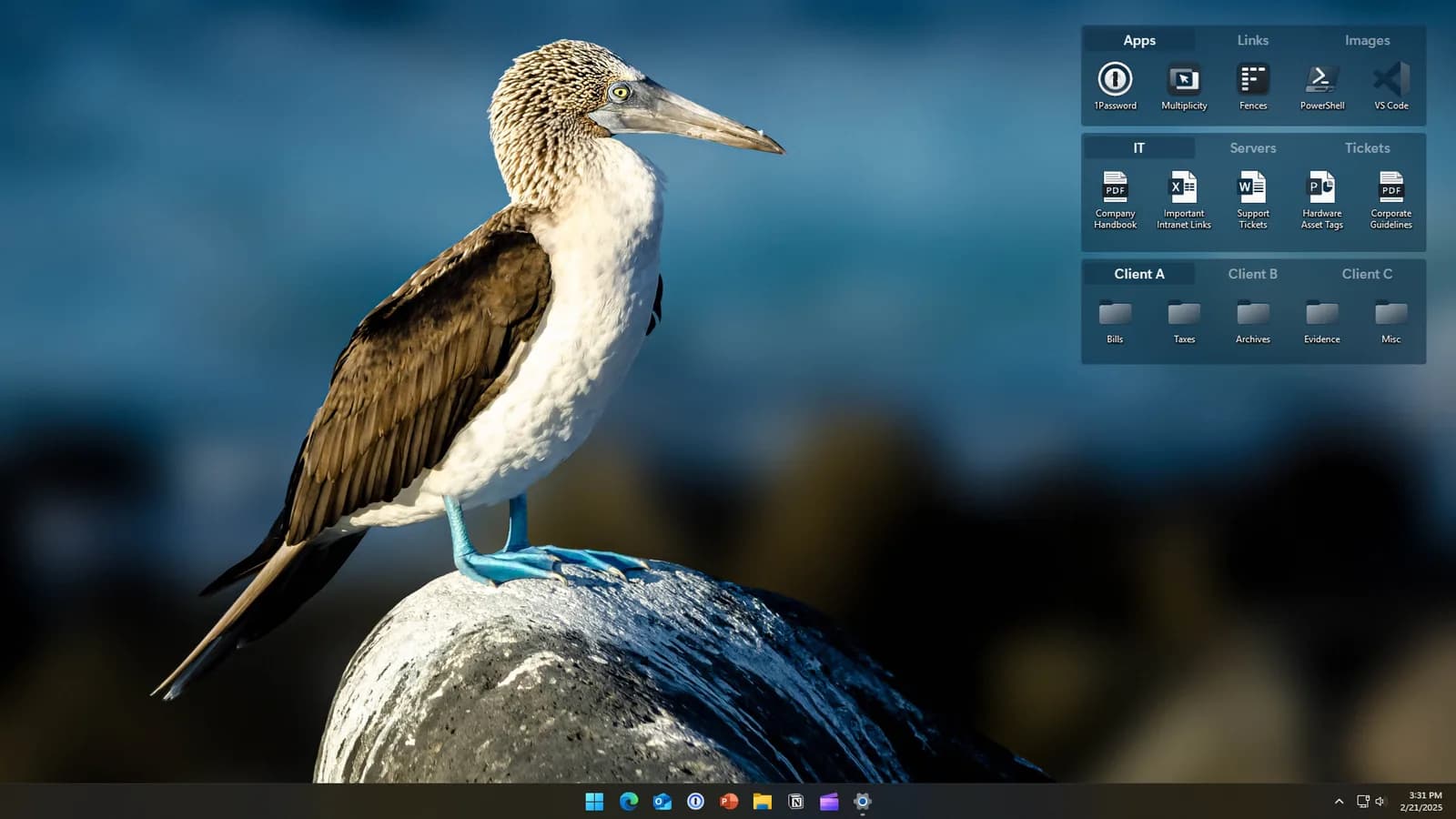
Three tabbed fences in the top right corner, holding app shortcuts, documents and folders. Image: Stardock.
Who gets the most out of it?
Stardock lists four ways people use it. These are the easiest to picture:
- People with many games. Steam, Epic and other platforms each have their own launcher, and some games have several icons. Put them all in one fence and roll it up when you do not need it, and the desktop is clear again.
- Students. Sort schoolwork by class or topic and give each fence its own color so you can tell them apart.
- People with lots of work files. Use rules to sort files by type, or use Folder Portals to put a favorite cloud folder on the desktop.
- Anyone who wants Windows easier to navigate. Stardock says Folder Portals bring content buried in File Explorer to the desktop, and you can enlarge the icons to read them more easily.
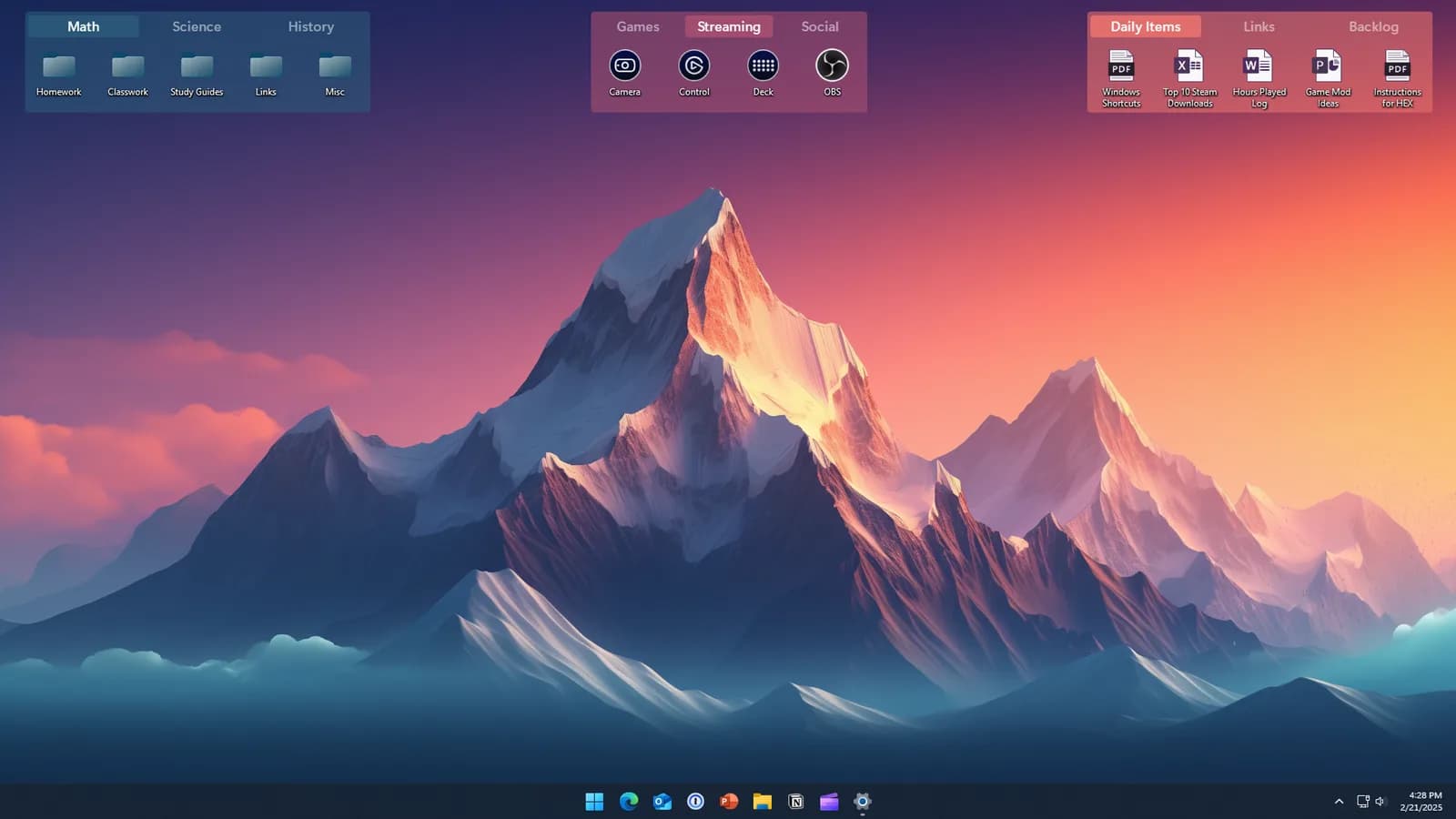
Three fences, each with its own tabs and color. Image: Stardock.
Want to try it first?
Stardock's site offers a free trial. Download it from Stardock, install it, and see whether it helps your desktop before you decide to buy.
Check these before you buy
- Fences works on Windows 10, Windows 11 and Windows on ARM. It is a Fences for Windows 11 and 10 tool, and it does not run on a Mac.
- It organizes icons on your desktop. If your desktop is usually almost empty, there is not much for it to do.
Buying from Appicker
We sell the permanent license for Fences 6. See the Fences 6 product page. One license covers one Windows 10 or 11 PC. Updates within version 6 are free, and a future major version such as Fences 7 is not included and may need a separate purchase. Activation needs a free Stardock account, and the steps are on your order page. After payment, your key arrives by email within 24 hours.